
Master Kubernetes from Scratch: Part 5 - Understanding Namespaces
Introduction to Namespaces


What are Namespaces?
Namespaces divide a Kubernetes cluster into smaller virtual clusters. They help organize and manage resources. This is useful when multiple teams, applications, or environments share one cluster.
Namespaces create logical partitions within a cluster. By default, Kubernetes places resources in the default Namespace unless you specify otherwise.
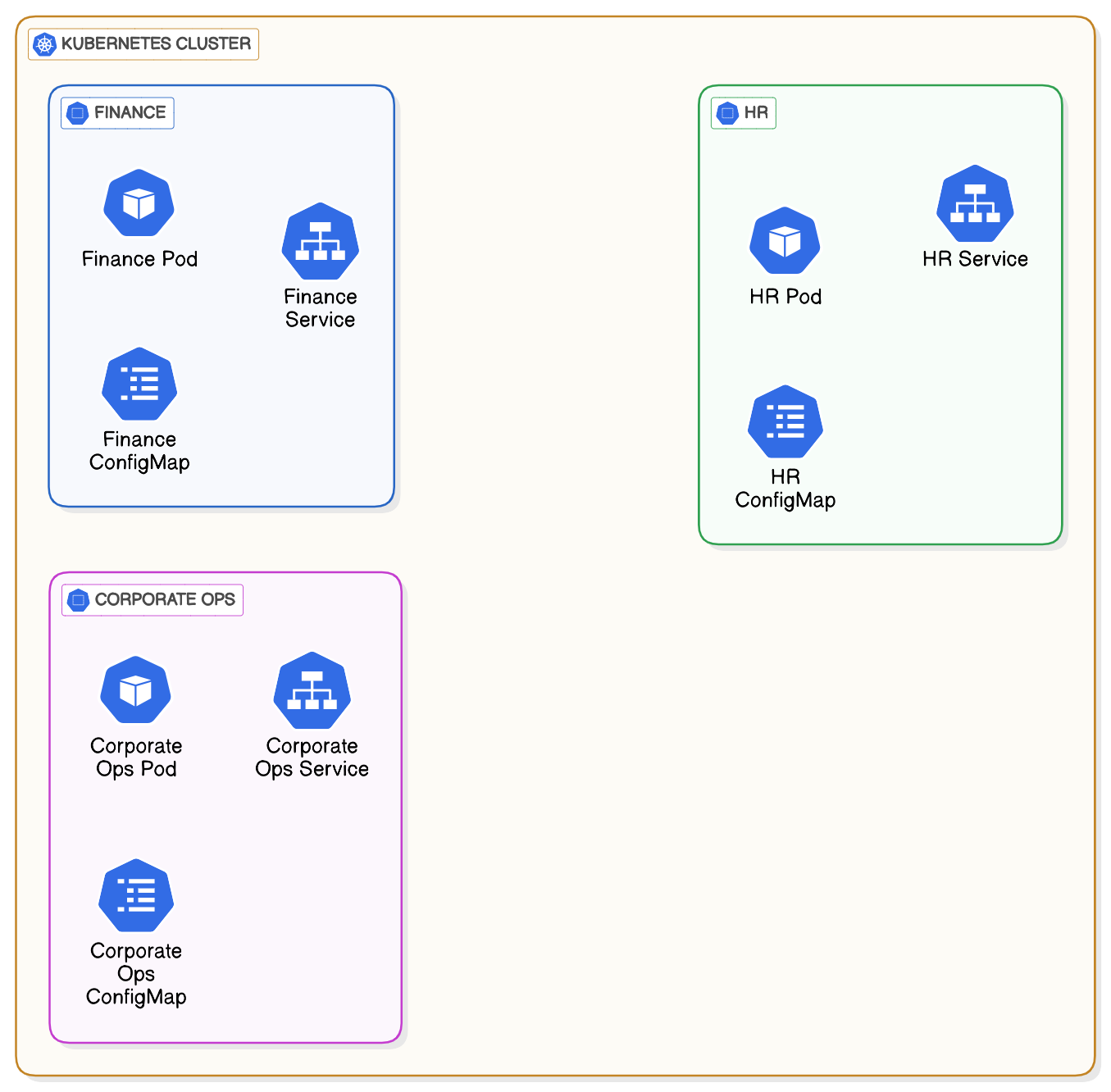
For example, if your organization has multiple teams like finance, HR, and corporate-ops, you could create namespaces matching each team's structure:
financehrcorporate-ops
Teams can work independently without interfering with each other.
Key Characteristics of Namespaces
Soft Isolation: Namespaces provide logical boundaries, but not complete isolation.
Shared Cluster Resources: All Namespaces share the same cluster's nodes, storage, and network.
Organizational Flexibility: Namespaces simplify managing multiple tenants, which can include teams, applications, or customers.
For stronger isolation (hard tenancy), you need separate clusters on dedicated hardware.
Commands for Managing Namespaces
Creating a Namespace
You can create Namespaces imperatively or declaratively.
Imperatively:
$ kubectl create ns learning-k8sDeclaratively:
Create a YAML file (e.g.,learning-k8s-ns.yml):
kind: Namespace
apiVersion: v1
metadata:
  name: learning-k8s
  labels:
    env: demo
Then you can apply it:
$ kubectl apply -f learning-k8s-ns.ymlListing Namespaces
$ kubectl get ns
$ kubectl describe ns default  # provides detailed ns information
Deleting a Namespace
$ kubectl delete ns learning-k8sSet a Default Namespace for Commands
Constantly adding -n or --namespace to every command can be tedious. Use this command to set a default Namespace for your session:
$ kubectl config set-context --current --namespace learning-k8sReset it after deleting a Namespace:
$ kubectl config set-context --current --namespace defaultDeploying Resources to a Namespace
Imperative Deployment
Add the-nor--namespaceflag to commands:
$ kubectl create deployment myapp --image=nginx -n learning-k8sDeclarative Deployment
Define the Namespace in the resource's YAML file:
apiVersion: apps/v1
kind: Deployment
metadata:
  name: myapp
  namespace: learning-k8s
spec:
  replicas: 1
  template:
    metadata:
      labels:
        app: nginx
    spec:
      containers:
      - name: nginx
        image: nginx
Apply it:
$ kubectl apply -f myapp.ymlConclusion
In this chapter, you got familiar with the concept of Namespaces. They are lightweight and offer flexibility but do not provide strong isolation. If you need to isolate workloads completely, consider using multiple clusters.